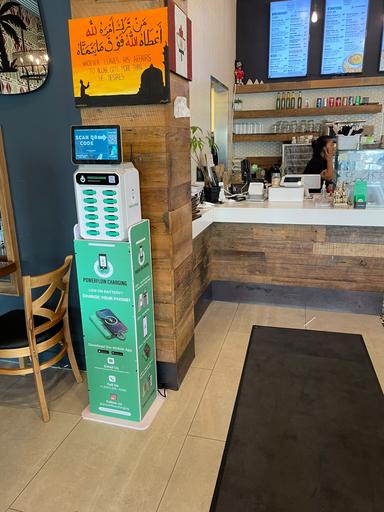
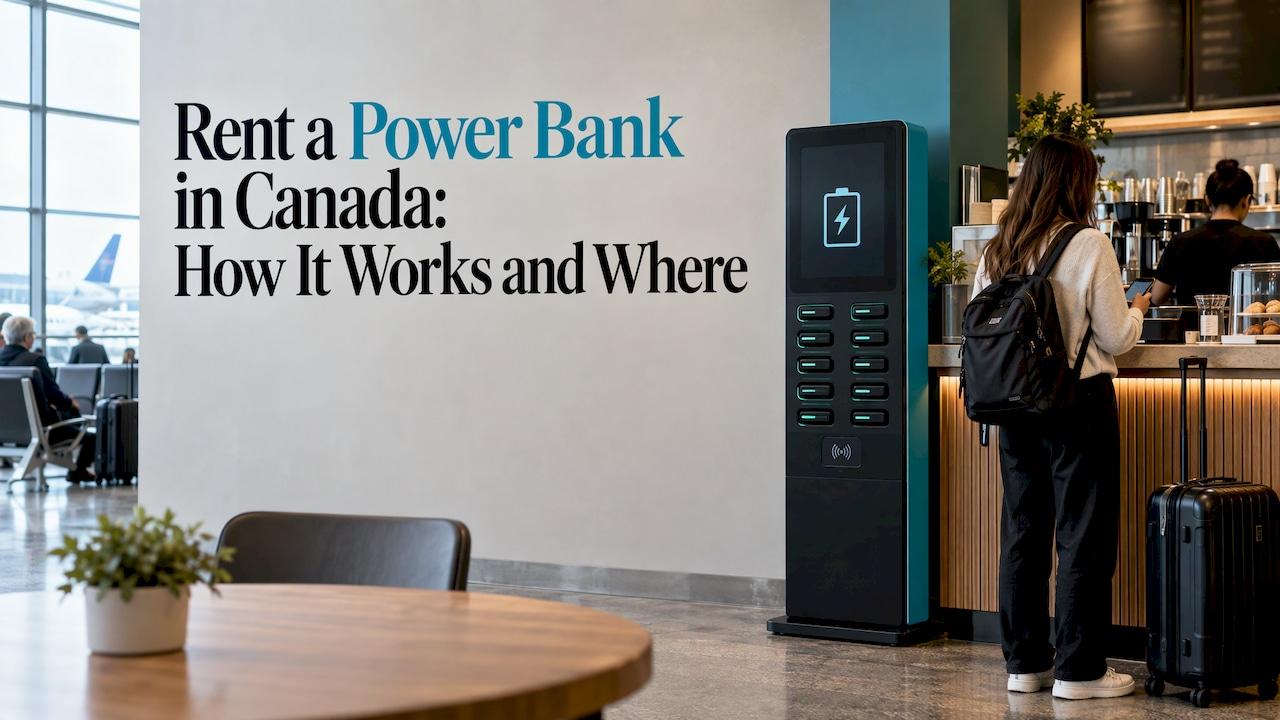
To rent a power bank, you find a rental station in a café, restaurant, bar, shop or airport, scan the QR code on it, check out in your phone's browser, take a charged battery and return it when you're done. At PowerFlow, you can return it to any participating station, so you don't have to walk back to where you started. If you run a venue or plan an event, the same stations can be placed on your premises as a guest amenity.
This guide covers the full routine for people who need a charge, plus a practical section for venue owners and event organizers.
TL;DR
- Renting a power bank takes about a minute: scan the station's QR code, check out in your browser and take a charged battery.
- Return-to-any-station rentals mean you can pick up in one place and drop off in another, which suits a night out or a travel day.
- Before you rent, check your cable type, the station's location and where the return points are.
- For flights, power banks go in your carry-on, never in checked baggage, according to Canada's airport security authority.
- Venues and event organizers can host PowerFlow stations in full-size or compact formats, with a revenue-sharing option.
Table of Contents
- Why renting beats carrying your own
- How to rent a power bank, step by step
- What to check before you rent
- Renting a power bank while travelling in Canada
- When renting makes the most sense
- Why PowerFlow stations work for guests
- For venue owners: why host a power bank station
- For event organizers: planning power for a large crowd
- Common mistakes to avoid
- FAQ
- Sources
Why renting beats carrying your own
A phone at 4% in the middle of an evening is a familiar problem. You are at dinner, you need a ride-share, a ticket or a map, and the only outlet is behind a table that someone else is using.
Carrying your own power bank solves that only if you remember it, charged it and packed the right cable. Most people don't do all three every day. A rental station removes the planning. The battery is waiting where people already spend time, and you pay only when you actually need it.
The model is growing quickly. One 2026 market report values the global power bank rental market at $1.8 billion in 2026, projected to reach $8.36 billion by 2035, with Canada included in its North American coverage. The same report names event organizers as one of the fastest-growing customer groups, as festivals and conventions treat mobile charging as a standard amenity.
How to rent a power bank, step by step
The process is simple, but a few details decide whether it goes smoothly.
1. Find a station
Stations sit in places where people wait, eat, shop or travel: cafés, restaurants, bars, shops, airports and event spaces. Look for the station near the counter, at the entrance or in a seating area. Stations come in two sizes. Full-size units suit larger venues, and compact units fit smaller spaces such as a café counter.
If you know you will be out all evening, locate the station before your battery gets critical. A phone at 30% gives you time to walk to the closest one rather than rushing.
2. Scan the QR code
Open your phone's camera and point it at the QR code on the station. This opens the rental page in your browser. There is no need to hunt for an app in a store before you can charge, which matters when your battery is already low.

Where it goes wrong: a phone below 5% may switch off while you are checking out. If you are close to dead, scan first and finish checkout quickly, or ask a staff member whether a wall outlet is nearby for a minute of top-up.
3. Check out in your browser
Follow the prompts on the web page to confirm your rental. Read the screen before you tap through. You are paying per transaction, so you want to know what you are agreeing to before the battery is released.
Have your payment method ready. Mobile wallets are usually the fastest on a phone with little battery left.
4. Take the power bank and plug in
Once checkout is complete, the station releases a charged power bank. Connect it to your phone with the cable you need. Confirm that your phone shows it is charging before you put it in your pocket or bag.
A quick tip: keep the phone and the battery together in a bag or pocket rather than leaving the phone on a table connected by a cable. A tethered phone on a bar top is how cables get yanked and phones get dropped.
5. Return it at any participating station
With PowerFlow you can return the power bank to any participating station. That is the feature that makes renting work for real days out: pick up at lunch downtown, return it at the airport on your way home. Slide the battery into an open slot and wait for the station to confirm the return.
Don't walk off with it. A rental that stays in your jacket after you've gone home keeps the clock running, so return it before you leave the area.
What to check before you rent
A few checks take under a minute and prevent the most common frustrations.
Your cable. Know whether your phone uses USB-C or Lightning, and whether you need your own cable or the one that comes with the rental. If your device uses a less common connector, plan for that before you are at 3%.
Your device. A power bank built for phones will charge a phone, earbuds or a smartwatch. It is not a laptop charger. Match the battery to what you are charging.
Where you can return it. If you are renting for a trip across town, note which venues carry stations along your route and where you will finish the day. Return-to-any-station only helps if there is a station near your end point.
The price on screen. Rental charges are paid per transaction by the person renting. Read the checkout page so you know what is being charged before you confirm.
Your own plans. Renting for an hour at a café is different from renting for a full festival day. Think about how long you will be out and how much charge you need.

Renting a power bank while travelling in Canada
Travel is where a rental pays off most. Airports, train stations and long layovers are exactly where outlets are scarce and everyone is competing for them.
Three practical points for a travel day:
- Plan the pick-up and return. Because PowerFlow batteries can be returned to any participating station, you can borrow one in the terminal, charge during your wait and return it before boarding, as long as you leave time to do so.
- Return it before you go through to your gate if you don't need it any more. Don't take a rental across a border or onto a flight you did not plan for.
- Keep your own batteries in the cabin. If you also carry a personal power bank, the Canadian Air Transport Security Authority says to keep power banks and other lithium battery devices in your carry-on, not in checked baggage. It also says that airlines have their own rules on lithium batteries, so check yours before you fly. The same page advises against carrying damaged or recalled batteries on a plane.
For a weekend away, a rental is lighter than packing another device. You carry your phone and cable, and the battery is there when you need it.
When renting makes the most sense
Renting suits some situations better than owning:
| Situation | Why a rental works |
|---|---|
| A night out at restaurants and bars | You charge while you sit, and return the battery at the last venue |
| A day of sightseeing | Maps, photos and tickets drain a phone fast, and you only need power for part of the day |
| An airport layover | Outlets are scarce and your phone is your boarding pass |
| A concert, festival or conference | Long days away from any wall outlet |
| Forgetting your own charger | Immediate fix without buying hardware you will rarely use |
If you need power in these situations, a rental station at the venue is the quickest way to get it.
Why PowerFlow stations work for guests
PowerFlow is built around the way people actually run out of battery: while they are out, in a social or public setting, with no outlet in reach. A few things make that easier:
- A simple rental flow. You scan a QR code and check out through a web page.
- Return to any station. You are not tied to the venue where you started.
- Two station sizes. Large venues get full-size stations and smaller spaces get compact ones, so stations show up in more places where you spend time.
You can find out more about renting a PowerFlow power bank on the PowerFlow site.

If you want a station at your own venue or event, PowerFlow offers event placements and station hosting, with a revenue-sharing option for hosts.
For venue owners: why host a power bank station
Guests who can charge their phone stay longer, and guests who stay longer order more. That is the simple logic behind putting a station in a café, restaurant, bar or shop.
PowerFlow's hosting model covers three things for a venue:
A guest amenity. Diners and customers get a solution to a problem they already have. You do not need to supply cables or lend out your own chargers, and you do not need to field requests at the counter.
A revenue stream. Guests pay per rental transaction, and host venues can take part in a monthly revenue-sharing arrangement. The details of any agreement are set with PowerFlow directly.
Advertising space. Station screens support digital advertising, which gives hosts and local businesses a place to be seen where guests are already looking.
Choosing the right station size
PowerFlow offers two formats, and the choice is mostly about space and traffic.
| Format | Best for |
|---|---|
| Full-size station | Larger restaurants, bars, shopping areas, airports and event spaces with high foot traffic |
| Compact station | Smaller cafés, counters, shops and venues where floor space is limited |
Place the station where guests wait or sit: near the entrance, the bar or the seating area. A station that guests can see from their table gets used more than one tucked into a corridor.
What to prepare before you host
- Pick a visible spot with room for guests to stand and plug in.
- Decide who on your team will answer basic guest questions about the stations.
- Ask about the revenue-sharing terms and how return stations in your area are set up.
Then contact PowerFlow about hosting a station.
For event organizers: planning power for a large crowd
At a festival, conference or wedding, the pressure on charging is different from a café. Hundreds of people use their phones for tickets, photos, messaging and payments, usually all at once and often for many hours.
A few planning points:
- Estimate the footprint. The longer the event and the less time guests spend near outlets, the more charging you need. A full-day outdoor event needs more capacity than a two-hour reception.
- Place stations where people gather. Entrances, food areas, lounges and registration are better than back-of-house corners.
- Choose the right size. Full-size stations suit big crowds. Compact stations work for smaller lounges or side areas.
- Use the screens. Station screens support digital advertising, so a sponsor can reach attendees in a place where they spend time.
- Book early. Event placements are arranged with PowerFlow ahead of the date, so contact the team during planning, not the week before.
Organizers are a growing part of the rental market. The 2026 report cited above describes event organizers as the fastest-climbing demand category, as outdoor festivals and conventions make mobile charging a standard amenity. It also notes that pay-per-use pricing, by the hour or day, dominates consumer kiosk economics.
If you are planning an event, ask PowerFlow about event placements.
Common mistakes to avoid
- Waiting until 2%. Rent at 20% to 30% and you have time to complete checkout without stress.
- Forgetting the return. Return the battery before you leave the area so you are not left with a rental you did not intend to keep.
- Assuming the same cable fits everything. Check your connector before you plug in.
- Placing a station out of sight. For venues, a hidden station is an unused station.
- Treating an event like a café. A large crowd needs more stations and a better location than a normal day of trade.
FAQ
How do I rent a power bank?
Find a station at a venue such as a café, restaurant, bar, shop or airport. Scan the QR code with your phone camera, check out in your browser, take the charged power bank and connect it to your phone. When you are finished, return it to a participating station.
Can I return a rented power bank somewhere else?
With PowerFlow, yes. You can return the power bank to any participating station, not only the one where you picked it up. That is useful on travel days or nights out when you finish in a different place from where you began.
Can I rent a power bank while travelling?
Yes, where stations are available, such as airports and busy venues. Plan your pick-up and return so that you can drop the battery off before you leave the area. If you carry your own power bank on a flight, keep it in your carry-on, as CATSA advises.
Can my business host a power bank station?
Yes. PowerFlow stations come in full-size and compact formats for different venues, and hosts can take part in revenue sharing. Stations are suited to restaurants, cafés, bars, shops, airports and event spaces. Reach out through the PowerFlow site to discuss your venue.
Can I get a station for an event?
Yes. PowerFlow offers event placements for organizers planning for large crowds. Contact the team early in your planning so station size, quantity and placement can be arranged for your date.